Why Is a Smart Construction Site Still So Busy?
Look beyond the screen to repeated work, useful information and the responsibilities that must remain.
Edward Kim | BuildNextSphere

Figure 1. The Screen Is Busy. Is the Work Easier?
Source: AI-generated concept illustration; layout and editorial direction by Edward Kim | BuildNextSphere.
Note: A hypothetical construction-office scene introduces questions about digital workload. It does not depict a real project, an actual system, a particular worker's performance or measured productivity.
01. More tools, more work?
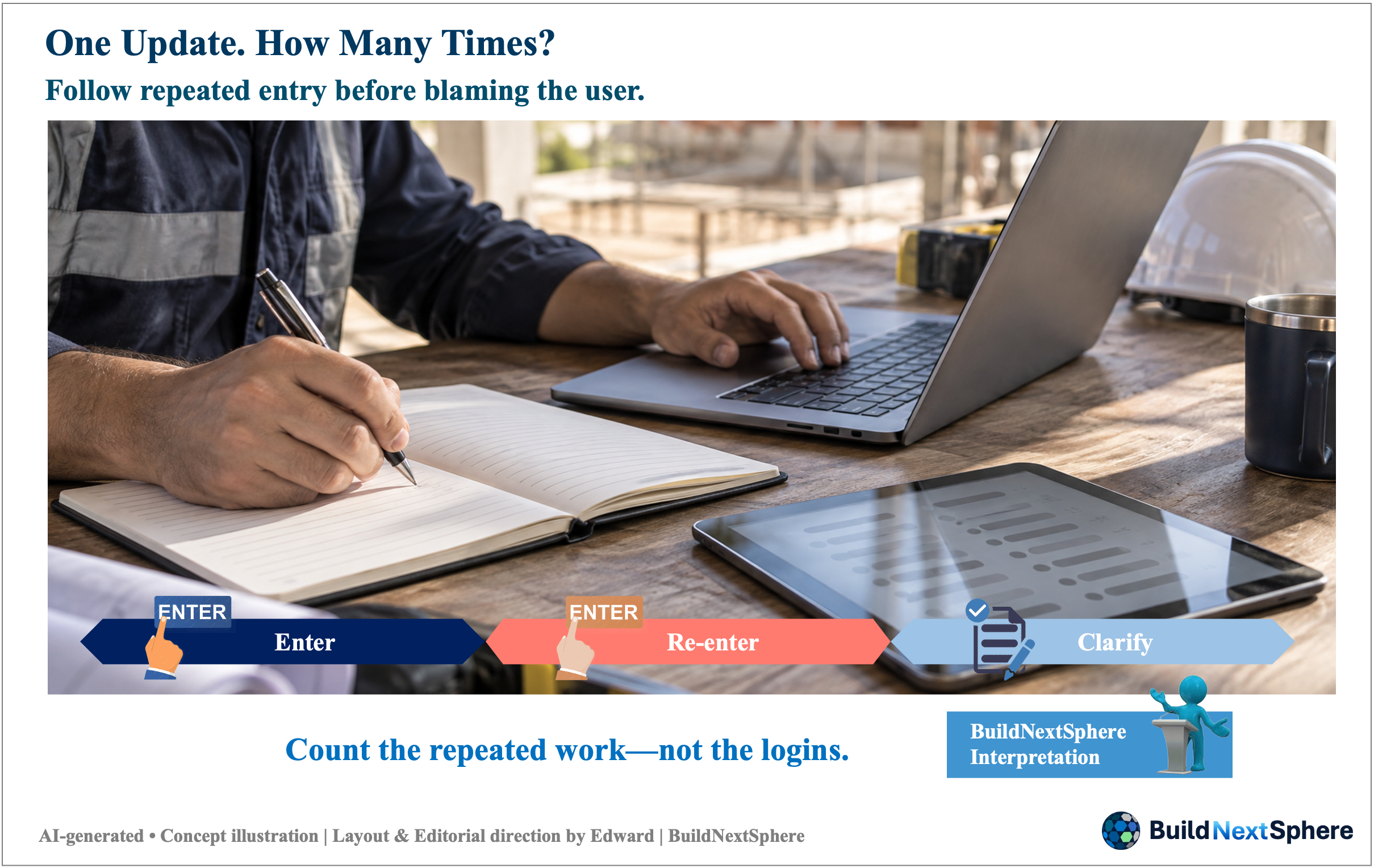
Figure 2. One Update. How Many Times?
Source: AI-generated concept illustration; layout and editorial direction by Edward Kim | BuildNextSphere.
Note: An illustrative sequence highlights possible repeated entry and clarification. It is a prompt for investigation, not an observed process on a named project; the check symbol does not certify that a record has been verified.
Imagine a supervisor finishing a routine update. The information goes into a spreadsheet, is sent through a message and is then entered into a reporting screen. Someone asks which version is current. The supervisor checks again. This is a hypothetical scene, not a description of a particular site or software product. Its point is simple: more digital activity does not necessarily tell us which part of the original work has become easier.
Before blaming the tool or the people using it, choose one task and ask what it is meant to achieve. Who needs the update, what decision or action follows, and which record should they use? A useful review looks beyond the number of logins or completed forms. It asks whether re-entry, clarification, waiting or correction has actually changed—and for whom.
This guide calls those avoidable difficulties ‘digital friction’. The term is a way to organise an enquiry, not a diagnosis that every extra step is waste. We will move from a short operating experience to a six-field check for one task. The aim is to make the next improvement specific, not to rank technologies, design an enterprise platform or promise an automatic productivity gain.
02. Digitizing a record is not the same as improving a task
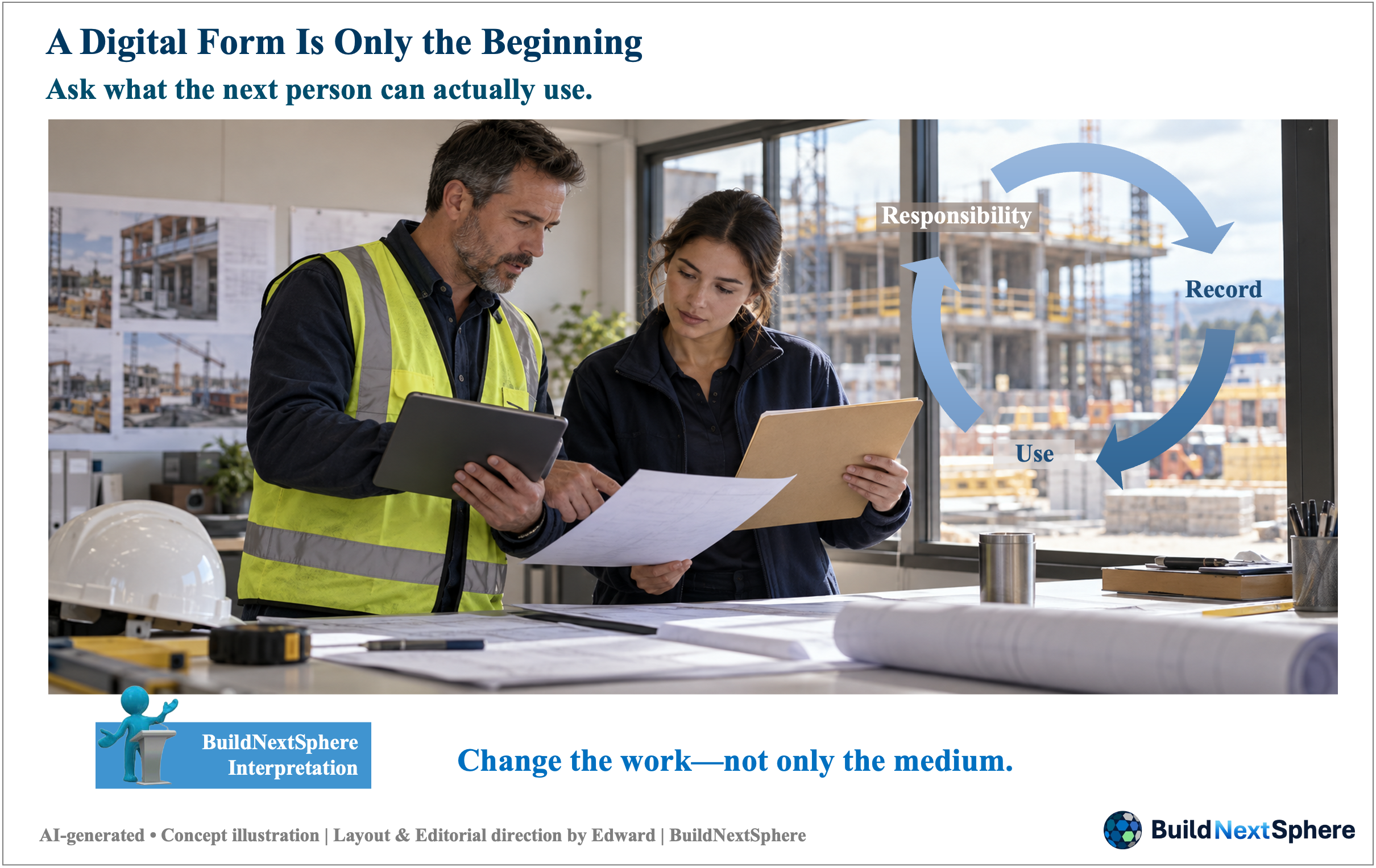
Figure 3. A Digital Form Is Only the Beginning
Source: AI-generated concept illustration; layout and editorial direction by Edward Kim | BuildNextSphere.
Note: The circular arrows connect recording, use and responsibility as recurring considerations, not a prescribed approval sequence. The scene is not evidence of improved outcomes or permission to remove independent checks.
Moving a form onto a screen changes where a record is made. Improving the task may require a different question: why is the same information requested again, and can the next person use an authorised, current record? Sharing information, removing a duplicate request and automating a step are different interventions. None should be assumed to follow simply because a new system has been installed.
The GOV.UK Service Manual recommends learning what users are trying to accomplish, how they currently work and where they encounter problems. Although written for government services, that approach offers a useful question for a construction support task: are we responding to a user's need or only adding another way to submit information? The guidance does not establish the performance of any construction system. Learning about users and their needs
Keep an important distinction in view. A repeated transcription may be a simplification candidate; an independent check may serve a different purpose. Before removing a step, establish why it exists, who is authorised to change it and what would be lost. Required safety, quality and approval responsibilities must not disappear merely to make a workflow look shorter.
03. An operating lesson: from spreadsheets to shared HR records

Figure 4. Shared Records Still Need People
Source: AI-generated concept illustration; layout and editorial direction by Edward Kim | BuildNextSphere.
Note: A conceptual scene accompanies Edward Kim's reported HR operating experience; it is not a photograph of that project or a reconstruction of its interface. Shared updates, training and checking are related operating considerations, not verified stages or independently measured benefits.
On an overseas construction project, I developed and operated a web-based HR management system for information that had been managed repeatedly in spreadsheets. Responsible staff could enter updates into the shared database and have them reflected as they worked. From my operating perspective, this reduced repetitive work and mistakes for the HR team. It is an observation from that experience, not an independently measured improvement rate.
The change also required work. Staff needed training, the new way of working had to be communicated, and its use needed checking during the initial period. Those efforts belong in the account alongside the benefit I observed. I cannot turn this experience into a claim that every department saved time, that the initial effort was recovered within a known period, or that construction production improved by a stated amount.
Here, the lesson is limited to a supporting administrative workflow: examine what the shared record changed in people's work, as well as the effort needed to use it. This is not evidence of AI functionality or an automatic approval process. The detailed HR-system story deserves a separate article. No personal records, internal screens or project-identifying details are needed to explain this narrower point.
04. Follow one update—and separate simplification from automation
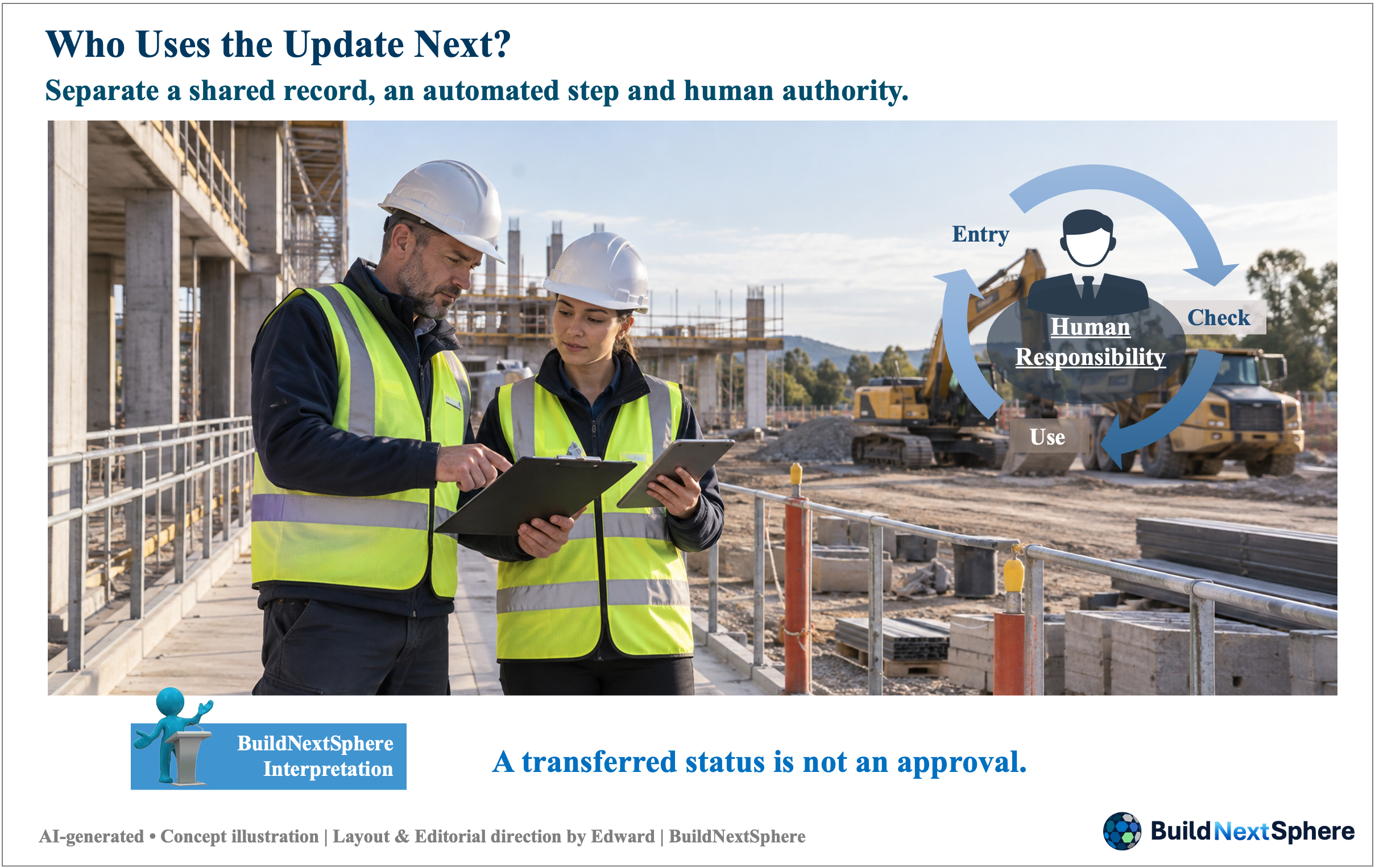
Figure 5. Who Uses the Update Next?
Source: AI-generated concept illustration; layout and editorial direction by Edward Kim | BuildNextSphere.
Note: A hypothetical equipment-status enquiry, separate from the HR case. Entry, checking and use remain connected to human responsibility; the arrows do not indicate safety clearance, automatic approval or confirmed equipment availability.
For a separate hypothetical example, follow an update to an equipment-availability record. Ask who first knows that the information has changed, who enters it, who checks it and who uses it to plan the next task. Write down the actual route before proposing a replacement. This example is not a reconstruction of the HR system; its detailed procedures have not been established here.
Suppose a planner retypes the same status because the original record is not usable in the planner's work. The first enquiry is why: access, timing, format, trust or a genuinely different requirement? These are possibilities to investigate, not findings. Replacing the second entry with a usable reference might help, but only if the responsible people agree that the information and its status meet the task's requirements.
Only then consider automation. A notification or a transfer between records might be a candidate; the rules, exceptions and owner would still need testing. A status copied successfully does not prove that equipment is safe, available or authorised for use. Keep human checking and the applicable approval process visible. Otherwise a faster information flow could simply move an unresolved question to the next person.
05. Build a six-field digital friction check
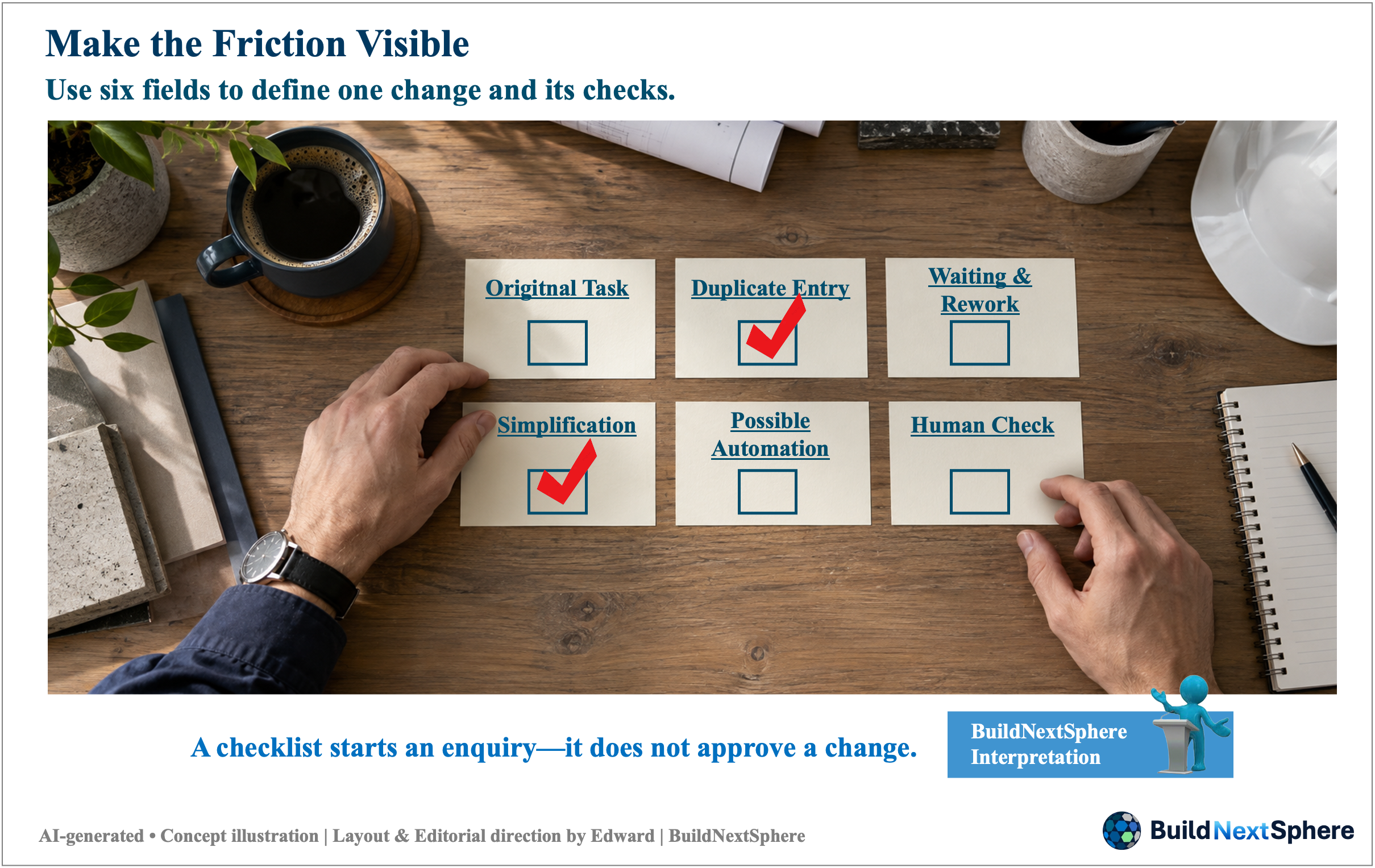
Figure 6. Make the Friction Visible
Source: AI-generated concept illustration; layout and editorial direction by Edward Kim | BuildNextSphere.
Note: The six fields organise questions about one task. The red ticks illustrate possible areas selected for investigation, not completed checks, verified findings or approval. The fields are not sequential gates, weighted criteria, a validated score or an instruction to automate every step.
Use the following six fields for one bounded task. The sample entries continue the hypothetical equipment update, not Edward's HR experience. Replace them with observed facts from your own work. The checklist is an editorial working aid, not a validated score, an automation specification or permission to remove a control.
Record the observation date, the evidence, affected roles and one next check beside the six fields. If a route or requirement is uncertain, name that uncertainty instead of filling the box with a confident guess. Agree who will verify the proposed change and what would count as a useful result before calling the task improved.
One-task digital friction check
1. Original task
Provide a current equipment-availability update for planning; this is not an authorisation to use the equipment.
2. Added or duplicate entry
Identify where the same status is retyped and whether the second record has a different purpose.
3. Waiting or rework
Record who waits for clarification or corrects inconsistent versions; do not assume the cause.
4. Simplification candidate
Consider a shared reference instead of re-entry, subject to access and task requirements.
5. Possible automation step
Consider a change notification only after defining the trigger, recipient, exceptions and test.
6. Human checking and accountability
Name who verifies the record and handles exceptions; retain the applicable approval process.
06. Did the burden fall, or move to someone else?

Figure 7. Less Work—or Work Moved Elsewhere?
Source: AI-generated concept illustration; layout and editorial direction by Edward Kim | BuildNextSphere.
Note: A hypothetical team review considers initial learning, ongoing work and the distribution of effort across roles. The arrows and icons organise these considerations; they do not imply a fixed sequence or rank the roles. No measured savings or guaranteed recovery of adoption effort is claimed.
Return to the original task after a limited trial. Separate initial setup and learning effort from ongoing work, but do not erase either from the account. Compare reasonably similar workloads, staffing and task conditions. Ask about time spent entering and checking, requests for clarification, corrections and support needs. These are proposed observations to collect, not results measured in the HR example.
HSE's workload guidance recommends reassessing workload when systems or responsibilities change and considering the team rather than staffing numbers alone. For this enquiry, that means asking whether one person's reduced effort has become another person's extra entry or checking. This limited application is not a full workload or safety assessment. HSE — Workload
Choose one task that feels unnecessarily busy. Identify one repeated step, the reason it remains and the person who can help verify that reason. Then consider one change without weakening the necessary checks. A useful digital improvement is not defined by how many features appear on a screen. Start by establishing which work changed, whose burden changed, and which responsibility must remain.
Sources
GOV.UK Service Manual — Learning about users and their needs. Used in section 02 for identifying users, tasks and problems—not as evidence of construction-system performance.
HSE — Workload. Used in section 06 for reconsidering workload when systems or responsibilities change. Sources accessed 29 September 2026.
Basis of This Article
This article combines the cited guidance, Edward Kim's qualitative account of developing and operating an HR web database, and editorial questions for examining one task. The opening and equipment-update examples are hypothetical and are not reconstructions of the HR system. No savings, error rates, recovery periods or site-wide productivity outcomes have been independently established here. The six-field check is an editorial aid, not a validated assessment or authority to alter safety, quality or approval controls.
Related Reading
Explore more from BuildNextSphere:
AI in Construction: What Makes a Tool Useful on Site?
Why Better Construction Technology Still Needs Better Project Execution
When Projects Don’t Go to Plan: What Are We Missing?
What South Korea’s Development Can Teach Us About Turning Plans into Action
Read the full article on BuildNextSphere
BuildNextSphere
BuildNextSphere connects Development, Technology & Project Intelligence through practical, experience-informed content.
Explore BuildNextSphere’s development direction and discover more insights through the channels below.
- BuildNextSphere Website
- English Blog | BuildNextSphere Insights
- LinkedIn | Edward Kim
- YouTube Channel
About the Author
Edward Kim is the Founder of BuildNextSphere. He draws on his experience with overseas construction projects to share practical insights from field operations, project delivery, and IT-enabled working systems. Through BuildNextSphere, he explores how people, technology, and real project conditions can help turn plans into action and support better project outcomes.
Content & IP Notice
This article and related materials are prepared by BuildNextSphere. Unless otherwise stated, the original structure, wording, diagrams and visual materials are the intellectual property of BuildNextSphere and Edward Kim. BuildNextSphere, its logo, tagline and brand assets are part of the BuildNextSphere brand identity. Unauthorised reproduction, modification, redistribution or commercial use is not permitted without prior written consent. Third-party names, technologies and references remain the property of their respective owners. General management principles are not claimed as proprietary inventions.


Comments
Post a Comment